


Skip to content
mobility_cp-2

Mobile Roaming

Stay Connected Anywhere In The World

Whether you're heading overseas for work or play, Digital Island roaming will help you stay connected in 100+ destinations worldwide.

Roaming Packs are usually the most cost effective ways of using roaming services, as long as you are visiting one of the common destinations listed below under roaming pack countries.

Whether you need Voice and Texts, or just data, choose the pack that best fits your needs.

Just add the a pack to your account before you go and it travels with you, ready to go as soon as you land in your destination.

Roaming - Airport 4x3

Roaming pack options

Roaming pack countries Pack 1 – Value bundle Pack 2 – Data only
USA, UK, Australia, China, Fiji, American Samoa, Argentina, Austria, Bangladesh, Belgium, Brazil, Cambodia, Canada, Chile, Cook Islands, Croatia, Cyprus, Czech Republic, Denmark, Egypt, Finland, France, French Polynesia, Germany, Greece, Hong Kong, Hungary, India, Indonesia, Ireland, Italy, Japan, Laos, Liechtenstein, Luxembourg, Macau, Malaysia, Malta, Mexico, Nauru, Nepal, Netherlands, New Caledonia, Norway, Papua New Guinea, Peru, Philippines, Poland, Portugal, Puerto Rico, Qatar, Romania, Samoa, Saudi Arabia, Singapore, Slovakia, Slovenia, South Africa, South Korea, Spain, Sri Lanka, Sweden, Switzerland, Taiwan, Thailand, Tonga, Turkey, UAE, US Virgin Islands, Vanuatu, Vietnam. 2GB data
300 txts
300 inbound minutes
300 outbound minutes
2GB data only
     
Both packs are valid for 14 days $26.50 $22

All prices are shown in NZD and exclusive of GST. Pricing is subject to change without notice. Roaming Packs are activated after first roaming use in the destination they are valid for and will expire fourteen days from the next New Zealand midnight, or after consumption of the roaming pack inclusions. It is recommended Roaming Packs are purchased in advance of your trip overseas (the 14 day validity doesn't start until you first start roaming). Per day data roaming refers to per day or per 200MB (whichever comes first), and up to 14 blocks of 200MB are available in a day. Overage charges after exceeding 14 blocks in one day are: $0.50/MB in Australia. $1/MB in all other qualifying countries. Per day data roaming applies from 12:00AM to 12:00PM NZ local time.


Standard roaming rates

The casual rates apply if you dont have an active roaming pack, or use over the allocation of services in your pack.

Roaming pack countries Outbound calls Per minute Inbound calls Per minute Outbound texts Per text Data use Per MB or per day
Australia and Christmas Island 59c $1.20 95c $10.00 per day for 200MB*
USA, UK, Australia, China, Fiji, American Samoa, Argentina, Austria, Bangladesh, Belgium, Brazil, Cambodia, Canada, Chile, Cook Islands, Croatia, Cyprus, Czech Republic, Denmark, Egypt, Finland, France, French Polynesia, Germany, Greece, Hong Kong, Hungary, India, Indonesia, Ireland, Italy, Japan, Laos, Liechtenstein, Luxembourg, Macau, Malaysia, Malta, Mexico, Nauru, Nepal, Netherlands, New Caledonia, Norway, Papua New Guinea, Peru, Philippines, Poland, Portugal, Puerto Rico, Qatar, Romania, Samoa, Saudi Arabia, Singapore, Slovakia, Slovenia, South Africa, South Korea, Spain, Sri Lanka, Sweden, Switzerland, Taiwan, Thailand, Tonga, Turkey, UAE, US Virgin Islands, Vanuatu, Vietnam. $2.89 $1.20 95c $10.00 per day for 200MB*
Iceland, New Caledonia, San Marino, Vatican City, In-flight and at-sea roaming $3.99 $1.20 95c $3.00 per MB
Rest of world — All countries not listed above. $4.99 $1.20 95c $5.00 per MB

All prices are shown in NZD and exclusive of GST. Pricing is subject to change without notice. Roaming Packs are activated after first roaming use in the destination they are valid for and will expire seven days from the next New Zealand midnight, or after consumption of the roaming pack inclusions. It is recommended Roaming Packs are purchased in advance of your trip overseas (the 7 day validity doesn't start until you first start roaming). Per day data roaming refers to per day or per 200MB (whichever comes first), and up to 14 blocks of 200MB are available in a day. Overage charges after exceeding 14 blocks in one day are: $0.50/MB in Australia. $1/MB in all other qualifying countries. Per day data roaming applies from 12:00AM to 12:00PM NZ local time.

How to add Roaming Packs

There are two ways to add a Roaming Pack to your mobile account:

1. Auto-purchase Roaming Pack feature - You can enabled this in the MyIsland portal on a per connection basis.  'Value Bundle' packs ($26.50 each) will be purchased automatically as needed, without purchasing in advance.

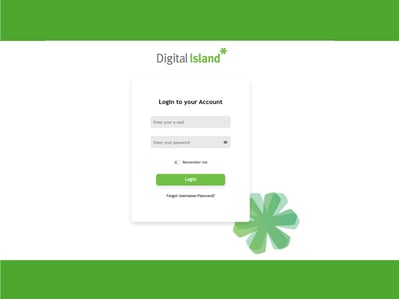
2. Manual pack purchase - Before you travel, simply visit the MyIsland portal, select your pack or packs for each mobile/user that is travelling.  You can order as many as you need for the period of the trip. When you get off the plane, turn on your phone and the first pack will be activated.

DI Portal Login 4


Frequently Asked Questions


Roaming Data Spend Control

To provide companies with better spend management when their users travel overseas, there is a roaming data spend control applied to all mobile connections. This control is designed to help companies manage roaming spend and avoid major unforeseen charges when users are using Digital Island mobile services abroad. How it works is, once charges for casual roaming data reaches 80% of the predetermined level for that user (default of $500), users and admin (depending on alerting settings) will receive a notification alerting that the user is getting close to the set spend for the month. When that level is reached (or can be slightly over due to roaming records delay) roaming data for that connection will be barred for the remainder of the month. The barring will prevent any further unexpected roaming data charges until the spend control resets at midnight NZ time on the 1st of the following month. If you are wanting the user to continue with roaming data and accept the associated costs, then roaming can be re-enabled via the MyIsland portal.

Roaming data spend control conditions:

  • Roaming Data Spend Control is available to any customers using Digital Island mobile services and applied to casual roaming data usage. It does not apply to apply to roaming packs, casual calling, texts, picture messages or other usage types.

  • Roaming Data Spend Controls are not a guaranteed limit. There can be a delay for billing roaming services because the usage information must first be provided to Digital Island from other network operators. This may affect the time a bar is applied, including beyond the spend control cap value. Any delay in billing does not affect Digital Islands right to charge for roaming usage and customers are liable for all roaming charges billed.

  • Digital Island reserves the right to withdraw or change the Roaming Data Spend Control service at any time.

Roaming tips for before you leave New Zealand
  • Check your mobile phone’s user guide before you go to ensure you know how to switch on flight mode, connect to local WiFi networks and turn off the automatic download of emails.
  • Make sure you have your voicemail pin ready to go. To check your voicemail while roaming you’ll need your voicemail PIN number. To check or change your PIN number:
  1. Access your voicemail from within NZ as usual
  2. Select option 3 ‘Change your personal options’
  3. Select option 2 ‘Change your PIN’
  4. You will now hear your PIN
Roaming with an iPad or tablet? These devices cannot receive SMS alerts from us, so if you’d like to check your data usage contact us or call +64 9 631 1360  during our NZ business hours of 8am-6pm, Monday- Friday.
Clearing your voice mail Call +64 83083210 to check your mobile’s voicemail.
When you arrive with your Android, iPhone or iPad mobile, put your device on 'Manual' for freedom to select a network
  • Android: Select Apps > Select Telco Services/TelecomNZ/SIM Toolkit > Select Roaming Menu > Select Manual > Select Sponsor (local network) or TNZ > Select Accept  (Depending on version of SIM card and OS the name of the second step will vary)
  • iPhone: Select Settings > Select Phone > Select SIM Application > Select Roaming Menu > Select Manual > Select Sponsor (local network) or TNZ > Select Accept
  • iPad: Select Settings > Select Mobile Data > Select SIM Application > Select Roaming Menu > Select Manual > Select Sponsor (local network) or TNZ > Select Accept
  • Nokia with Windows Mobile: Select: Settings > SIM Application > Show Applications > Roaming Menu > Manual > Sponsor (Local networks) or TNZ


Problems while overseas? Please contact our 24/7 roaming specialists on +6433710866
  • If your device is lost or stolen while you’re overseas, contact Digital Island straight away to block your SIM. If you don’t do this immediately, you will be responsible for all calls made or data used on the device until it’s blocked.
  •  Also if you have stored any passwords or other important information on your device you should immediately take action to change these.
  •  Because you’ll be roaming on different networks, we can’t guarantee the quality and availability of the network or coverage while you’re overseas.
  •  If you return to New Zealand and cannot get service, you will need to use the SIM applications menu and select TNZ.

Have questions about using your mobile overseas?

Talk to one of our expert team today.