


RingCentral
Unified communications built for modern business


RingEX brings together business calling, messaging, video meetings, and collaboration into one cloud-based solution. Designed for today's flexible workforce, it enables teams to stay connected, productive, and responsive from anywhere, on any device.
Whether you're replacing an aging phone system, supporting hybrid work, or looking to streamline communications across your organisation, RingEX delivers enterprise-grade reliability, built-in AI capabilities, and seamless user experiences that help your people work smarter and serve customers better.

Disparate, costly antiquated legacy on-prem systems that
don’t scale.
Fragmented modes of communications, that are all-in-one place
for both EX & CX.
Lack of reliability, security, and high availability with competing offerings.
Inability to integrate systems and workflows and improve efficiency and intelligence.
Adding AI powered capabilities across solutions to drive insights
and outcomes.
Truly integrated with your calls and meetings.
AI writer and translator
Free, unlimited messaging and video
Message with anyone - even if they don’t have RingCentral
Built-in task management, in-app help center with centralized administration
Key pain points: Information scattered across multiple apps, slow decision-making, and disconnected communication between teams.
Employees spend too much time switching between messaging, meetings, email, and task management tools, creating silos and slowing collaboration.
Team Messaging brings conversations, files, tasks, and meetings into a single workspace. Teams can collaborate in real time, stay aligned on projects, and communicate seamlessly across the organisation, helping improve productivity and reduce communication complexity.
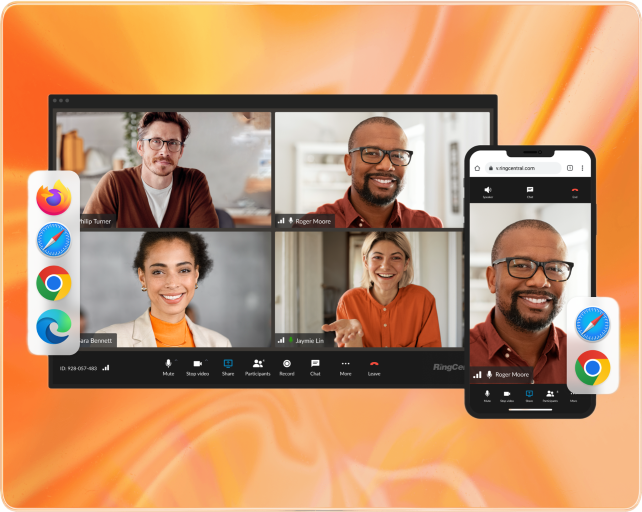
Join from any device, room, or browser
One-click screen sharing from voice calls
AI-powered meeting notes and translations
HD video and crystal-clear audio experiences
Switch between desktop/mobile with one click
Key pain points: Difficult guest access, disconnected meeting tools, and collaboration challenges for hybrid teams.
Traditional meeting platforms often require downloads, multiple applications, and complicated joining processes that create friction for employees, customers, and partners.
Video Meetings provides a seamless collaboration experience across desktop, mobile, browser, and meeting room devices. Users can join instantly, share content with a single click, and leverage AI-powered tools such as meeting notes, translations, and smart collaboration features to make every meeting more productive and engaging.
Lead capture with Salesforce, Hubspot, Zoho
Multiple calendar appointment scheduling
Call routing with contextual handoff
Dynamic RCV video meeting link
Multi-language support
Supports any phone
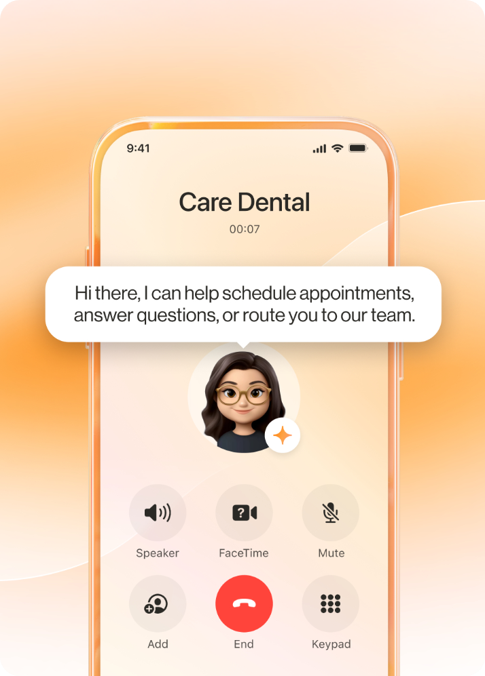
Auto-create AIR
Key challenge: Missed calls, lost leads, and limited availability outside business hours.
AI Receptionist (AIR) answers calls using natural, conversational AI, helping customers get what they need without waiting for an employee. From lead capture and appointment booking to intelligent call routing, AIR ensures every call is answered professionally, every time.
More than an auto-attendant
Unlike traditional phone menus, AIR understands caller intent, asks follow-up questions, and takes action in real time, creating a faster, more personalised experience.
Already have a phone system? No problem. AIR integrates with existing telephony environments, allowing you to add AI-powered call handling without replacing your current solution.
AI-generated notes and conversation summaries
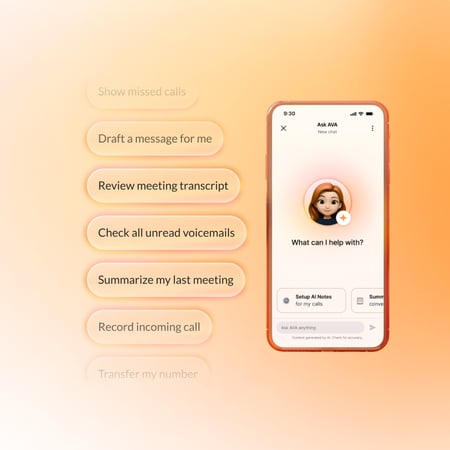
Instant answers across calls, chats, meetings, and voicemails
Real-time guidance and in-app assistance
Automates everyday administrative tasks
Key pain points: Information overload, time spent searching for answers, and repetitive manual tasks that reduce productivity.
Employees waste valuable time switching between applications, reviewing meeting notes, searching conversations, and completing routine administrative work.
AVA acts as an intelligent personal assistant across the RingCentral platform, helping users find information faster, summarise conversations, automate tasks, and stay productive throughout the day. By bringing AI-powered assistance directly into workflows, employees can focus less on administration and more on meaningful work.
The ROI of an AI Assistant is 25 Daily minutes saved per employee.
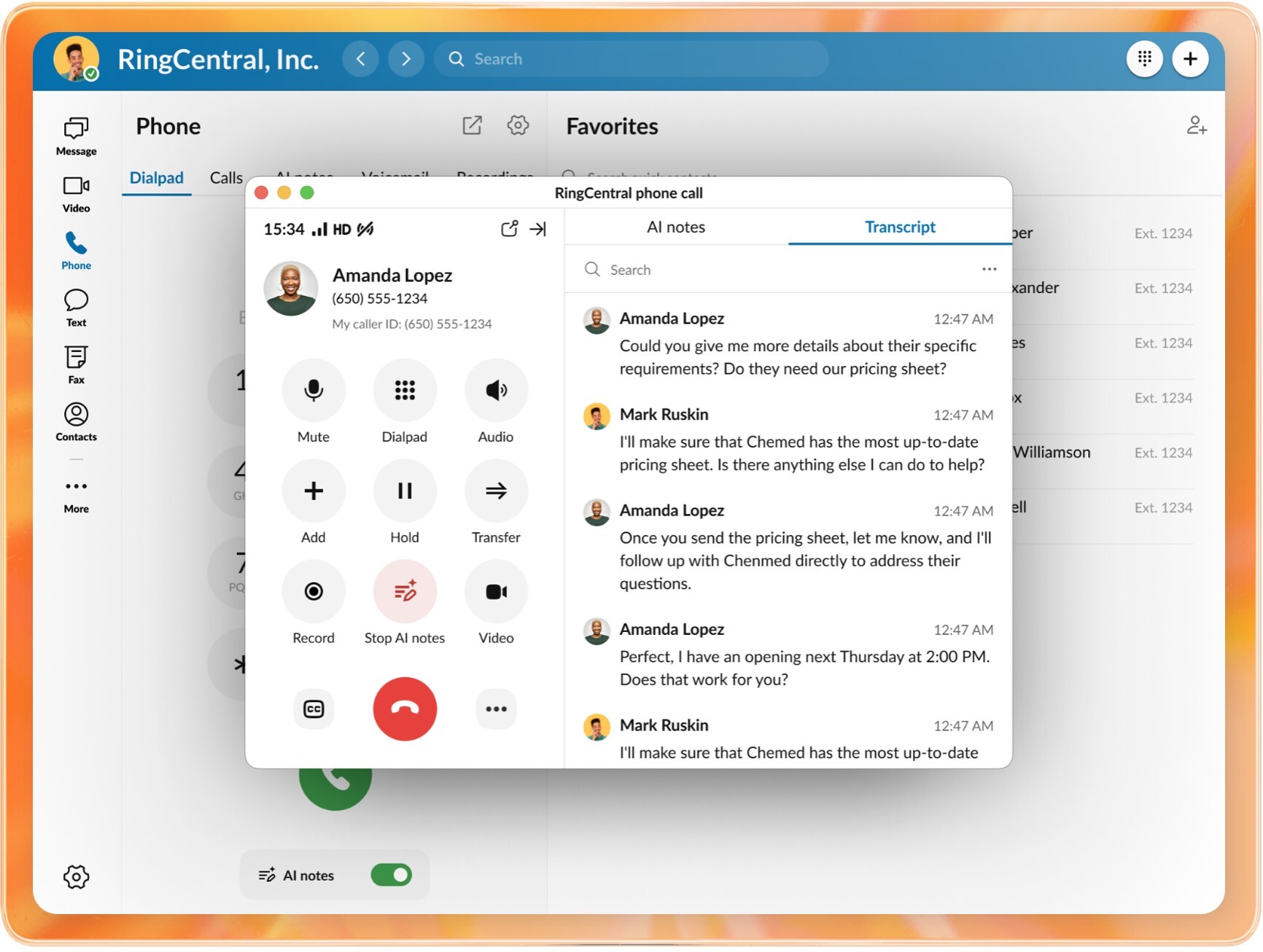
Live call transcription as conversations happen
Search and review conversations instantly
Capture key details without manual note-taking
Improve accessibility and knowledge retention
Key pain points: Missing important information, inaccurate note-taking, and difficulty recalling conversation details after a call.
During important customer and business conversations, critical information can be overlooked, forgotten, or captured inconsistently by different employees.
Real-Time Transcription automatically converts spoken conversations into searchable text, providing an accurate record of every call. Users can focus on the conversation instead of taking notes, while gaining the ability to quickly reference, search, and review discussions whenever needed.
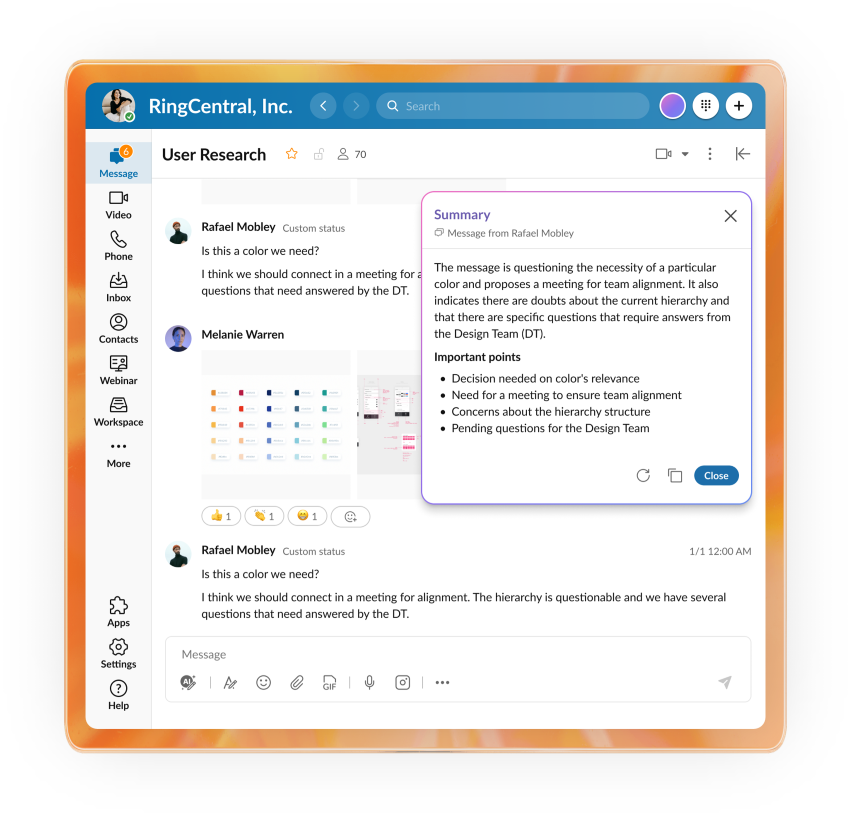
Instantly summarise lengthy chat conversations
Highlight key decisions, actions, and updates
Catch up on missed messages in seconds
Reduce information overload across teams
Key pain points: Too many messages, missed updates, and the time required to read through lengthy conversation threads.
Busy teams often return to dozens or hundreds of unread messages, making it difficult to identify what matters, what decisions were made, and what actions are required.
AI Message Summary automatically condenses conversations into concise, actionable insights, helping employees quickly get up to speed, stay informed, and spend less time scrolling through chat history.
Announce estimated wait times in real time
Inform callers of their position in the queue
Reduce caller frustration and uncertainty
Improve queue transparency and customer experience
Key pain points: High call abandonment rates, frustrated customers, and a lack of visibility into how long callers will be waiting.
Customers become increasingly frustrated when they are left on hold without knowing how long they need to wait or whether they are making progress in the queue.
Call Queue Announcements keep callers informed with real-time wait time estimates and queue position updates, helping set clear expectations, reduce hang-ups, and create a more transparent and positive customer experience while callers wait for assistance.

Offer callers a callback instead of waiting on hold
Automatically reserve the caller's place in the queue
Reduce call abandonment rates
Improve customer satisfaction during peak periods
Key pain points: Long hold times, high call abandonment rates, and customer frustration when waiting to speak with an agent.
When customers are forced to remain on hold, many choose to abandon the call altogether, creating a poor customer experience and increasing the risk of lost revenue or unresolved issues.
Queue Callback gives callers the option to hang up and receive a return call when their turn arrives, while retaining their position in the queue. This reduces wait-time frustration, lowers abandonment rates, and helps organisations deliver a more convenient customer experience.

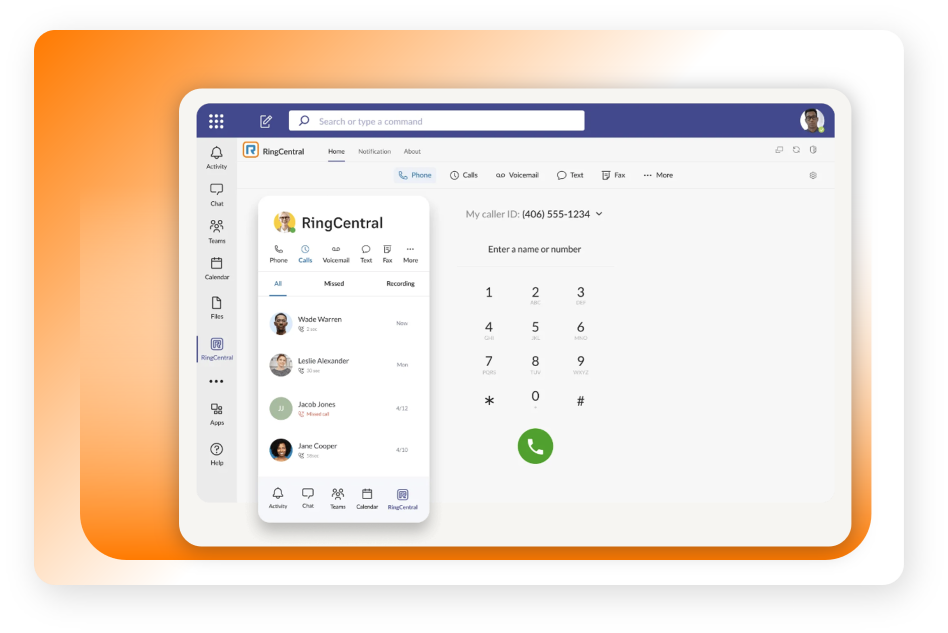
Native Microsoft Teams calling experience
Direct Routing and Operator Connect options
Advanced telephony, fax, and contact centre capabilities
Business continuity, analytics, and reporting
Key pain points: Switching between communications platforms, limited native telephony capabilities, and managing multiple user experiences.
Many organisations want to keep Microsoft Teams as their primary collaboration tool while gaining access to more advanced business telephony features. However, moving between applications can create complexity for users and IT teams alike.
RingEX for Microsoft Teams extends Teams with enterprise-grade calling capabilities, allowing users to make and receive calls, manage call settings, access fax and messaging features, and maintain a seamless workflow without leaving the Teams environment.
The result is a unified user experience with the flexibility and power of a modern cloud phone system.
Download a PDF version of the key features and benefits of the RingCentral RingEX solution.
Read More
A demonstration video showing the seamless integration of RingEX and Microsoft Teams for end-to-end communications
Read More
Five reasons why businesses should adopt cloud communications like RingEX in order to scale their business.
Read More